Lab: Downloading a Video
This is one of this week’s two short labs; the other is File Encodings. Both are lighter than last week’s doctest marathon, and both are graded on what you produce, here, a downloaded video, rather than on a test badge turning green. The rhythm is the one you already know: fork the instructor’s starter repo, clone your fork, do the work, and submit on Gradescope, fixing and resubmitting until it is right.
Starter code: github.com/rtealwitter/lab-youtube-download
One of the nice things about Python is how easy it is to download and run programs (called scripts) that other people have written. In your next project you will write one of these scripts yourself; the point of this lab is to get comfortable running someone else’s first. Our example is a script for downloading videos from YouTube.
Finding the working repo
There are many GitHub repos with code for downloading YouTube videos. Here are two:
Your first task is to figure out which of these repos has working code. You are not yet qualified to read the code and judge it directly, so how do you tell a healthy project from an abandoned one? Look at its automated tests. Each repo runs its test suite on every change through GitHub Actions and shows the result as a badge:
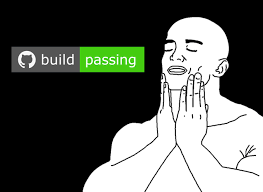
Open both links and find the test badge on each. One repo’s tests are passing and the other’s are failing. Clone the one with passing tests, then step into the folder:
$ git clone <url>
$ cd <repo_dir>
Running the code
Recall that ls lists the files in the current folder. If the clone worked, you will see something like this:
$ ls
bundle           LICENSE         README.md                 yt-dlp.cmd
Changelog.md     Maintainers.md  supportedsites.md         yt-dlp.sh
CONTRIBUTING.md  Makefile        test
CONTRIBUTORS     public.key      THIRD_PARTY_LICENSES.txt
devscripts       pyproject.toml  yt_dlp
Your exact output will differ a little in colors, columns, and sort order, but the same files should be there. This is a big project that thousands of people around the world have contributed to. Later in the course we will see how to contribute to a project like this yourself; employers love to hire students who have, and building up your GitHub profile is one of the real goals of this class.
How do you find the starting point in a project this large? In Python it is customary for the most important file in a repo to be called __main__.py, sitting in a subfolder named after the project, which here is yt_dlp. Run it with:
$ python3 yt_dlp/__main__.py

Usage: yt-dlp [OPTIONS] URL [URL...]

yt-dlp: error: You must provide at least one URL.
Type yt-dlp --help to see a list of all options.
Two things to notice. First, yt_dlp/__main__.py is a relative path: the file’s name together with the subfolder it lives in. Drop the subfolder and Python cannot find the file:
$ python3 __main__.py
python3: can't open file '__main__.py': [Errno 2] No such file or directory
That is the same FileNotFoundError idea from the reading, one folder off. Second, even called correctly the program answered with an error message, not a window. Python scripts usually have a command-line interface (CLI), where you type the options as part of the command, rather than the graphical user interface (GUI) you are used to.
To download a video we hand the script a URL. As our working example we will use one of the most famous videos of all time, https://www.youtube.com/watch?v=dQw4w9WgXcQ. Paste the URL at the end of the command:
$ python3 yt_dlp/__main__.py 'https://www.youtube.com/watch?v=dQw4w9WgXcQ'Depending on your computer’s configuration, you may get an error about a failed SSL certificate. If so, add the --no-check-certificate option:
$ python3 yt_dlp/__main__.py --no-check-certificate 'https://www.youtube.com/watch?v=dQw4w9WgXcQ'SSL (the secure socket layer) is what encrypts web traffic, and this error means something about your Python setup cannot verify the encryption. That would matter if you were logging into your bank; for downloading a public video it is fine.
Every well-behaved script prints detailed instructions when you pass --help:
$ python3 yt_dlp/__main__.py --helpRun it and you will see that yt-dlp has options for setting audio and video quality, grabbing whole playlists, and routing the download through a proxy.
A note on legality
Is using yt-dlp legal? Yes. A tool for downloading video has plenty of legitimate uses beyond piracy. The Aleph with Beth channel, which teaches Hebrew, gives explicit instructions for using yt-dlp to watch their lessons in places without internet. The KCNA Watch archive uses it to keep a permanent record of North Korean broadcasts so foreign-policy analysts can trust that videos will not be altered or deleted after the fact.
Most of the “YouTube downloader” websites you can find are thin wrappers around yt-dlp, which is the actual tool you are learning to run. The package used to be called youtube-dl, but after legal pressure from the RIAA over documentation examples that looked like they encouraged piracy, the project forked into yt-dlp. In the US, writing or possessing software is never itself a crime; you can only be prosecuted for illegal things you do with it. The distinction is subtle but important, and the Hacker News discussion of the case is worth a read.
Submitting
Upload your downloaded video on Gradescope.