Lab: Cowsay (pip and linters)
This is one of this week’s two labs; the other is Password Cracking. Cowsay gets your Python environment in order, installing packages and running a linter, which is the groundwork the markdown-compiler project and everything after it depends on. It is auto-checked and follows the loop every lab in this course shares: you do the work, push it to GitHub, and keep going until it passes.
Starter code: github.com/rtealwitter/lab-cowsay
This lab has you practice installing Python libraries and running linters, the same skills the GitHub Actions on your markdown-compiler project will check later.
Setup
For this lab you make your own copy of the starter repo on GitHub. Follow the standard procedure: create a new empty repo through the GitHub interface, clone the starter repo onto your computer, and push it up to your new repo. Each part below has you pushing to your repo to turn one of the GitHub Actions green, so get this set up before you continue.
pip
The repo contains a script that draws a cow saying whatever you tell it:
$ python3 cowsay/__main__.py 'mooooo moooo'
 ______________
| mooooo moooo |
 --------------
        \   ^__^
         \  (oo)\_______
            (__)\       )\/\
                ||----w |
                ||     ||
Typing python3 cowsay/__main__.py every time you want the cow to talk gets old fast. Python’s package installer, pip, can install the script into a shorter, easier-to-use form. Try installing this project from inside its own folder:
$ pip3 install .Depending on your computer, you might hit a scary-looking error that ends with error: externally-managed-environment. Recent versions of Python made installing packages system-wide harder on purpose, to avoid a mess called dependency hell, and the side effect is a rougher setup for beginners.

The fix is a virtual environment, or venv: a project-specific place to install libraries so every project keeps its own set. Create one for this project, then activate it:
$ python3 -m venv venv
$ source venv/bin/activate
Your prompt changes to include (venv), and now the install runs cleanly:
$ pip3 install .You create the venv once, but you have to run the source venv/bin/activate line again every time you reopen the project in VS Code.
With the project installed, the cowsay command works on its own, from any folder:
$ cowsay 'moo'
 _____
| moo |
 -----
        \   ^__^
         \  (oo)\_______
            (__)\       )\/\
                ||----w |
                ||     ||
The same trick installs libraries other people wrote. Last week you installed yt-dlp by cloning it and running the script by hand; far more often, you install a package straight from its name with pip:
$ pip3 install yt-dlpNo cloning required: give pip a package name and it does the fetching for you, and yt-dlp is then a command you can run anywhere.
A small joke worth knowing: pip stands for “Pip Installs Packages”, an acronym that contains itself. These recursive acronyms are a running gag in programming, and GNU (“GNU’s Not Unix”) is the most famous one.
Your task. The command_line action is failing because it runs the cowsay command without installing it first. Follow the instructions inside .github/workflows/command_line.yaml so that the action passes.
PEP8 and flake8
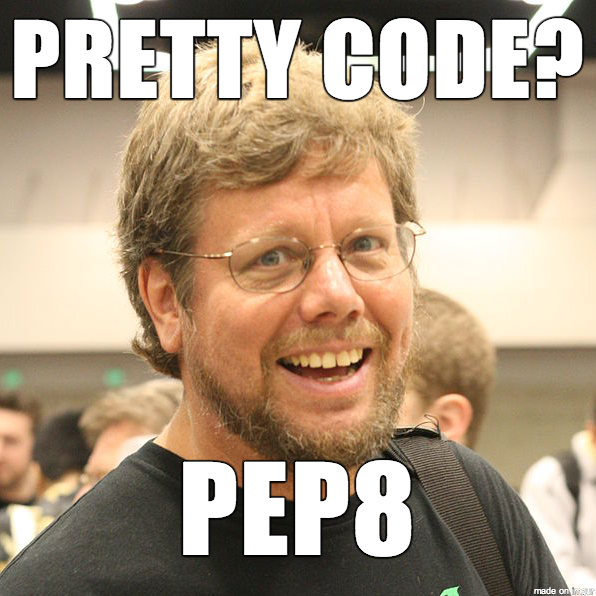
Python Enhancement Proposals (PEPs) are how new features and conventions get added to Python. The most famous is PEP 8, which lays out how to format Python so it reads consistently. For instance, PEP 8 wants spaces around operators, so this:
x=1+2should be written as:
x = 1 + 2Both run identically; the second is just easier to read. Programmers enforce these conventions with tools called linters. (The name comes from lint on clothing: code that ignores PEP 8 still works, it just looks a bit fuzzy.) The best-known Python linter is flake8, installed like any other package:
$ pip3 install flake8Point it at the cowsay code and it lists every place the formatting strays from PEP 8:
$ flake8 cowsay
cowsay/__main__.py:8:19: E201 whitespace after '('
cowsay/__main__.py:8:49: E202 whitespace before ')'
cowsay/__main__.py:9:1: W293 blank line contains whitespace
cowsay/__main__.py:12:23: E225 missing whitespace around operator
cowsay/__main__.py:13:1: W293 blank line contains whitespace
cowsay/__main__.py:14:23: E225 missing whitespace around operator
Each line is one violation, with the file, the line and column, and the rule it broke.
Your task. The flake8 action runs this linter and fails if it reports anything. Edit cowsay/__main__.py until flake8 returns no errors and the action passes.
Submitting
Both of this lab’s grades are GitHub Actions badges, command_line and flake8, each red until you fix it and green once you have. That green-badge loop is the one every lab shares: push, watch the action run, read what failed, fix it, and push again until both badges are green. When both are green, submit your repository link on Gradescope.