SQL
We have now met several kinds of language, and it helps to line them up. Python and the shell are procedural: you spell out how to do something, one step at a time. HTML and CSS are markup: you say what the content is and the browser works out how to show it. JSON, YAML, and CSV are data definition: you say what to store and nothing more. CSS selectors, regular expressions, and globs are query languages: you describe what to find.
Today’s language, SQL (Structured Query Language, usually said “sequel”), is a new kind again. SQL is declarative: you state what you want computed, and the database figures out how to compute it. You will spend this class describing results and letting the machine do the work of producing them, which is a genuinely different way to think about a program.
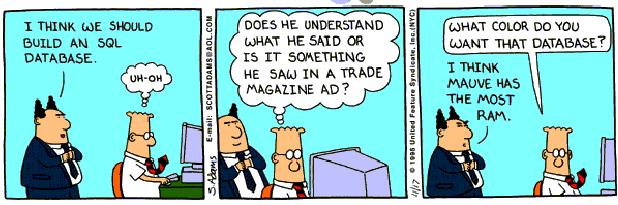
The comic is funny because the boss is treating a database like a decorating choice. By the end of today you will understand databases better than he does, which is a low bar, but you have to start somewhere. “A language that doesn’t affect the way you think about programming is not worth knowing,” said Alan Perlis, and SQL is worth knowing for exactly that reason.
Why we care
Three facts make SQL worth a week of your time.
Every interactive website stores its data in a SQL database. When you log in, post a comment, or like a photo, a line of SQL runs on a server somewhere to read or change a row. If you want to work with the data behind a real application, you go through SQL.
SQL is usually very efficient. Because you describe the result instead of the steps, the database is free to pick a fast way to produce it, and it is very good at that. A hand-written loop in Python, or even a Pandas version, is rarely faster than the equivalent SQL, and usually much slower.

SQL shows up in every technical interview. Data-science and backend jobs ask you to write SQL live, so this is a skill you will be graded on long after this class.
We are not going to cover the advanced parts of SQL (window functions, subqueries, and the like belong to a later database course). Our goal is narrower and more useful right now: the handful of everyday commands, one everyday two-table join, how to run them from a Python program, and how to serve the results on the web. That last part is the backbone of your final project, a clone of Twitter, and we will point at it as we go.
A database in a file
We will use SQLite, which puts an entire SQL database inside a single file with no server to install or manage. SQLite comes with Python as the sqlite3 module, most systems also ship a sqlite3 command-line program, and you can run the same SQL entirely in your browser at sqlite.org/fiddle. The interactive sessions below use the sqlite3 command; its prompt is sqlite>.
A database is a set of tables, and a table is a grid of rows and columns, like one sheet of a spreadsheet with named, typed columns. We will build the skeleton of a social network: a table of users, and a table of the messages they post. We create a table with the CREATE TABLE command, naming each column and its type:
CREATE TABLE users (
    id INTEGER PRIMARY KEY,
    username TEXT NOT NULL UNIQUE,
    password TEXT NOT NULL,
    age INTEGER
);
id is an integer that is the primary key, the column that uniquely identifies each row, and SQLite fills it in automatically as 1, 2, 3, and so on. username is text that is NOT NULL (every user must have one) and UNIQUE (no two users may share it). password is required text, and age is an integer with no constraints, so it is allowed to be missing. On success the command prints nothing at all, the same “silence means success” you saw with passing doctests.
The second table stores messages, and it needs a way to say who sent each one:
CREATE TABLE messages (
    id INTEGER PRIMARY KEY,
    sender_id INTEGER NOT NULL REFERENCES users(id),
    message TEXT NOT NULL,
    created_at TIMESTAMP NOT NULL DEFAULT current_timestamp
);
The sender_id column holds the id of the user who wrote the message, and REFERENCES users(id) records that it points into the users table. Storing the sender’s id instead of copying their whole username into every message is the central idea of a relational database: each fact lives in exactly one place, and other tables point at it by key. The created_at column defaults to current_timestamp, so every message is automatically stamped with the time it was inserted.
Putting data in
An empty table is not much use. We add a row with INSERT, listing the columns we are filling and the values to put in them:
INSERT INTO users (username, password, age) VALUES ('Trump', 'TRUMP', 76);
INSERT INTO users (username, password, age) VALUES ('Evan', 'correct horse battery staple', 7);
INSERT INTO users (username, password) VALUES ('Kristen', 'Possible-Rich-Absolute-Battle');
Each statement creates one new row, and again SQLite prints nothing on success. We left age out of the last row, so Kristen’s age is stored as NULL, SQL’s word for a missing value, which will matter in a moment. We did not set id on any of them, because the primary key fills itself in.
One aside worth making, since the data is right in front of us: these passwords are stored as plain readable text, which is a serious security mistake that real applications never make. A real site stores a scrambled hash of the password so that a stolen database does not hand over everyone’s login. We are keeping them plain only so the examples stay readable, and Evan’s password is the famous xkcd passphrase, included here entirely for our own amusement.
Loading a handful more users and messages gives us something to query.
Asking questions
SELECT is the command you will write most, and it is the one the quiz is built from. Its shape is select these columns, from this table, where this condition holds. The simplest version asks for every column of every row, using * to mean “all columns”:
SELECT * FROM users;SQLite prints the matching rows as a table:
id  username  password                          age
--  --------  --------------------------------  ---
1   Trump     TRUMP                             76
2   Biden     12345                             79
3   Evan      correct horse battery staple      7
4   Isaac     soccer                            4
5   Aaron     guaguagua                         3
6   Aurelia                                     2
7   Mike      524euTjrWm6uK2C5iw8mC6aNgX1JI78o  38
8   Kristen   Possible-Rich-Absolute-Battle
Each row is one user, each column is one field, and the id values are the primary keys SQLite assigned as we inserted. Notice Kristen’s age is blank, because we never gave it a value.
Usually you do not want every column or every row. You pick columns by naming them, and you keep only the rows you want with a WHERE clause:
SELECT username, age FROM users WHERE age >= 18;username age
-------- ---
Trump 76
Biden 79
Mike 38We asked for two columns instead of all four, and WHERE age >= 18 threw away every row whose age was under 18, leaving the three adults. To count matching rows rather than list them, wrap the selection in count(*):
SELECT count(*) FROM messages WHERE sender_id = 6;count(*)
--------
3That is “how many messages did user number 6 send,” answered as a single number. For text you often want a pattern rather than an exact match, and that is what LIKE is for, with % standing in for any run of characters:
SELECT id, username FROM users WHERE username LIKE 'A%';id username
-- --------
5 Aaron
6 Aurelia'A%' matches any username that starts with a capital A, so Aaron and Aurelia come back and nobody else. That % is the same query-language idea you already know: it is to LIKE what * is to a shell glob and what .* is to a regular expression. Two more pieces round out the quiz’s toolkit: ORDER BY age DESC sorts the results by age from highest to lowest, and because NULL is missing rather than a value, you test for it with WHERE age IS NULL rather than = NULL.
This predict-the-output exercise is exactly the quiz. You are handed the data and a SELECT statement, and you write down what it prints, on paper, from open notes. Practice by running the statements in quiz_practice_problems.sql against the sample database in quiz_practice_schema.sql, either with sqlite3 locally or by pasting the schema into sqlite.org/fiddle. Predict each result set before you run it, then compare with the answers. Predict each answer first, then run it and check. Reload the schema before any UPDATE or DELETE problem, since those change the data and would otherwise throw off the counts in the problems after them.
Joining two tables
Every SELECT so far read from one table, but the whole reason we stored sender_id in messages was to connect it back to users. A message on its own only knows its sender’s id; to show who actually wrote it, you have to look that id up in the users table. A join does that lookup, pairing each message with its user inside a single query:
SELECT users.username, users.age, messages.message
FROM messages
JOIN users ON messages.sender_id = users.id
WHERE users.age >= 18;
username age message
-------- --- --------------------------------------------------
Trump 76 I'm a baby
Biden 79 I'm a baby
Mike 38 I'm an adult
Mike 38 WTF is SQL?! I thought you liked the snake thing.JOIN users ON messages.sender_id = users.id tells SQLite to attach to each message the one user whose id matches that message’s sender_id, so a single result row can now name columns from both tables (users.username, users.age, and messages.message). Because a column name like id lives in both tables, we write table.column to say which one we mean. This is the one join the course needs, and it is the heart of your final project’s home page: the feed shows every message next to the account that posted it, which is exactly this query without the WHERE, ordered newest-first with ORDER BY messages.created_at DESC.
Changing and removing
Reading data is half the job; a running application also has to change it. UPDATE edits existing rows, setting columns to new values wherever a condition holds:
UPDATE users SET password = 'hunter2' WHERE username = 'Aurelia';That finds every row where the username is Aurelia and overwrites its password column, and a following SELECT confirms the change. DELETE removes whole rows that match a condition:
DELETE FROM messages WHERE message = 'I''m a baby';(The doubled quote '' is how you put a literal apostrophe inside a SQL string.) Checking the count before and after shows the effect:
sqlite> SELECT count(*) FROM messages;
10
sqlite> DELETE FROM messages WHERE message = 'I''m a baby';
sqlite> SELECT count(*) FROM messages;
6
Four rows matched the message text, so the count dropped from ten to six in one command. Here is the part to respect: the WHERE clause is the blast radius, and leaving it off applies the change to every row. DELETE FROM messages; with no WHERE empties the entire table, and UPDATE users SET age = 0; resets everyone at once. The database does exactly what you asked with no confirmation prompt, so read your WHERE clause before you press enter.
SQL from Python
So far we have typed SQL by hand, but the reason SQL matters to us is that a program can run it. This is the bridge between stored data and a running application, and Python’s sqlite3 module is how we cross it:
import sqlite3

connection = sqlite3.connect('social.db')
cursor = connection.cursor()
cursor.execute("SELECT username, age FROM users WHERE age >= 18")
for row in cursor.fetchall():
    print(row)
Reading it back: connect opens the database file, cursor gives us a handle to run commands through, and execute runs one SQL statement passed as an ordinary Python string. fetchall hands back the results as a list of rows, and each row is a plain tuple, so we can loop over them like any Python list:
('Trump', 76)
('Biden', 79)
('Mike', 38)
The rows arrived as Python values we can now do anything with. SQL stores and finds the data, and Python turns the results into a program.
Serving data on the web
The last step is to put that program on the web so a browser can reach it, and for that we use FastAPI, a Python library for turning functions into web pages. Its name comes from the fact that it is built for making APIs quickly. The smallest possible server answers one address with one message:
from fastapi import FastAPI
from fastapi.responses import HTMLResponse
import uvicorn

app = FastAPI()

@app.get('/', response_class=HTMLResponse)
async def index():
    return 'hello <b>world</b>'

if __name__ == '__main__':
    uvicorn.run("webserver:app", host='127.0.0.1', port=8080, reload=True)
Reading it back: the @app.get('/') line maps the URL path / to the function beneath it, so whatever that function returns becomes the page at that address. The function returns the HTML string hello <b>world</b>, so a browser pointed at http://127.0.0.1:8080 shows hello world, with “world” bold. The last line hands the app to uvicorn, the program that actually listens for browser requests, on port 8080 of your own machine.
Now we combine the two halves of today. Instead of a fixed greeting, the route runs a SELECT against the database and returns the rows it finds:
import sqlite3
from fastapi import FastAPI
from fastapi.responses import HTMLResponse
import uvicorn

app = FastAPI()

@app.get('/', response_class=HTMLResponse)
async def timeline():
    connection = sqlite3.connect('social.db')
    cursor = connection.cursor()
    cursor.execute("SELECT message FROM messages ORDER BY created_at DESC")
    rows = cursor.fetchall()
    connection.close()
    html = ''
    for row in rows:
        html = html + '<p>' + row[0] + '</p>'
    return html
Reading it back: every time a browser visits /, the function opens the database, selects all messages newest-first, and wraps each one in a <p> tag to build up a page of HTML. Visiting the address now shows the messages as a running feed, newest at the top, straight out of the database. That feed is the heart of your Twitter clone: SQL holds the posts, Python formats them, and FastAPI serves them to anyone who visits.
One caution about that html + '<p>' + row[0] + '</p>' line: it pastes text straight from the database into the page, so if a user could put HTML (or a <script> tag) into a message, the browser would run it, the web cousin of the SQL injection you will meet next class. Next class we build pages with Jinja2 templates, which escape inserted text automatically; hand-built strings like this one do not, so in your project never paste untrusted text straight into a page.
Looking forward
We can now store data in tables, ask questions of it with SELECT, change it with UPDATE and DELETE, and serve the answers on the web with FastAPI. What we still cannot do is let a visitor add a row, because our page only ever reads the database and never writes to it. Next class covers the rest of backend web development, handling the form submissions and POST requests that let someone actually post a message rather than only read one. This week’s lab, APIs and Web Interfaces, gets you building FastAPI servers directly, putting a program behind a web address with the same tools we just used.
Everything from today carries straight into the final project. The users and messages tables, the SELECT and INSERT statements, the sqlite3 module, and the FastAPI routes are precisely the pieces you will assemble into the Twitter clone, so the practice you do this week is practice on the project itself.