Lab: Hello, Homepage
This is your first lab, and it is a gentle one. You have just read about HTML and poked at a page in the browser; now you will build a real one, from the skeleton up, and it is a page you get to keep. In fact this exact file is the seed of Project 0, assigned this same week: everything you make here you will grow into a full site over the next couple of weeks, so make something you would not mind putting your name on.
Most labs this term are Python files that a computer grades, where you resubmit until the tests turn green. This one comes before we have written a single line of Python, so there is nothing to test automatically. Instead it is graded on what you produce: you hand in the page itself and a screenshot proving it is well-formed, and you resubmit on Gradescope until it is right. The rhythm, do the work, submit, fix, resubmit, is the one every lab uses; only the thing you hand in changes.
Starter code: github.com/rtealwitter/lab-homepage
Getting set up
Every lab starts from a starter repository on GitHub that I have set up for you, and the first move is always the same: make your own copy of it, called a fork. Open the starter repo linked above and click the Fork button near the top right. GitHub hands you a personal copy at github.com/<your-username>/lab-homepage that you are free to change.
You now need those files on your own computer, where you can use the edit–save–reload loop from the reading. The simplest way, and the one that needs no new tools: on your fork, click the green Code button and choose Download ZIP. Unzip it, and in VS Code choose File → Open Folder… and pick the unzipped lab-homepage folder, exactly the move you made in the reading. The Explorer panel on the left shows a starter index.html.
If you already know git, you can skip the ZIP and clone your fork instead:
$ git clone https://github.com/<your-username>/lab-homepageWe teach git properly in a few weeks; until then, Download ZIP is completely fine, and nobody will know.
Build your homepage
Open index.html and replace whatever is there with the page you want. Start from the skeleton you met in the reading and fill the <body> with your own content:
<!DOCTYPE html>
<html>
    <head>
        <title>Sourdough for Beginners</title>
    </head>
    <body>
        <h1>Sourdough for Beginners</h1>
        <p>I have killed four starters. Here is what I learned.</p>
        <img src="starter.jpg" alt="A jar of bubbling sourdough starter on a sunny windowsill.">
        <p>You will need three things:</p>
        <ul>
            <li>Flour, and more of it than you think</li>
            <li>Water, ideally not straight from a chlorinated tap</li>
            <li>Patience, or at least a calendar reminder</li>
        </ul>
        <p>The full method lives on <a href="https://www.theperfectloaf.com/">The Perfect Loaf</a>.</p>
    </body>
</html>
That is only an example; pick your own topic, anything safe for work, and ideally something you actually care about, because you will be staring at it for three weeks. Whatever you choose, your index.html has to contain all of the following, with every tag correctly nested and closed:
- the full skeleton:
<!DOCTYPE html>, one<html>, a<head>holding a<title>, and a<body>; - exactly one
<h1>, the page’s title, not one heading among many; - at least one
<p>of real text; - one
<img>with real, non-emptyalttext that describes the picture. Use an image that actually appears: either drop a file into the folder and name it insrc, or pointsrcat a fullhttps://…image URL. A broken image is a bug the browser will happily show the world; - a
<ul>or<ol>list with at least three<li>items; - at least one link, an
<a>with anhrefthat goes somewhere real.
Work the way the reading taught: change something, save with Ctrl+S / Cmd+S, switch to the browser, reload. If a change refuses to show up, the odds are overwhelming that the file is simply not saved, the dot instead of an X on the VS Code tab is your tell.
The tag police
Here is an uncomfortable truth about browsers: they are too nice. Leave off a </p>, cross your tags, forget an alt, and the browser guesses what you meant and renders something anyway. That forgiveness is exactly what makes HTML bugs so slippery: the page looks fine, so you never learn it is broken. A missing </p> is the bug you will write this week; tags that overlap instead of nesting, like <ul><li></ul></li>, are the second. The browser hides both from you.
So we bring in someone who is emphatically not nice. The W3C validator is the official tool that reads your HTML by the letter of the spec and reports every mistake. Open it, choose the Validate by File Upload tab (your page is not on the internet yet, that is next week’s job), upload your index.html, and press Check.
The first time, expect a list of red errors. Read them literally; each names a line number and a problem:
- “End tag
liseen, but there were open elements”, something inside an<li>never closed. - “Unclosed element
ul”, you forgot the</ul>. - “An
imgelement must have analtattribute”, exactly the habit the reading told you to keep.
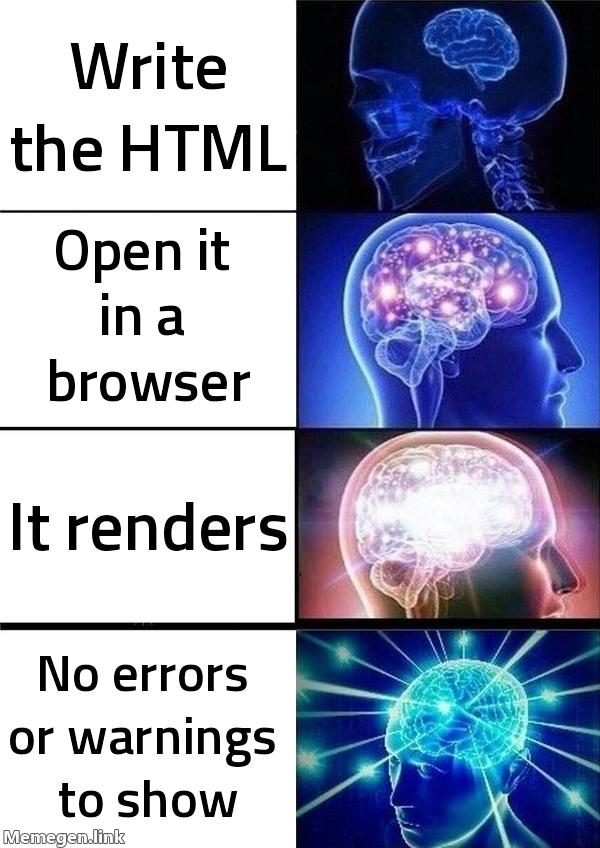
Fix the top error, re-upload, and check again. Errors tend to cascade, one missing tag can manufacture three complaints, so work from the top and re-run often. Keep going until the page comes back green and the validator reports Document checking completed. No errors or warnings to show.
You may also see yellow warnings, which are not errors but are worth clearing while you are here. Two are nearly universal on a first page, and two lines fix both: declare the page’s language on the <html> tag and its character encoding in the <head>.
<!DOCTYPE html>
<html lang="en">
    <head>
        <meta charset="utf-8">
        <title>Sourdough for Beginners</title>
    </head>
lang="en" tells screen readers and search engines the page is in English; <meta charset="utf-8"> tells the browser how to decode your text, which matters the instant you type an emoji or an accented letter. Add them, re-check, and enjoy a perfectly clean bill of health.
Passing this validator with zero errors is not busywork, it is a line item on the Project 0 rubric. You are clearing project requirements a week early and learning the tool that turns “looks fine to me” into “the validator found no errors.”
Submitting
On Gradescope, submit two things:
- your
index.htmlfile, and - a screenshot of the W3C validator showing 0 errors for your page.
If either is off, fix it and resubmit, like every lab, this one is done when it is done, not when you run out of tries.
Two things before you close the folder. First, keep this file safe: it is the literal starting point for Project 0, which you expand into a three-page site over the next couple of weeks. Second, it is not finished being useful in class either, next week’s CSS lab takes this exact page and gives it a coat of paint. Right now it is honest, well-formed, and a little ugly. That is precisely the right place to be.